Integrations
RaceStreaming for vMix
How to setup vMix for RaceStreaming camera sources
Configuring vMix camera-sources from the RaceStreaming platform is super easy. The RaceStreaming platform provides both single- and multi-cast ultra low-latency SRT H.265 or H.264 feeds for vMix.
Here are the steps to establish the optimal connection to a RaceStreaming StreamKit. Repeat step 2-3 for each StreamKit connection…
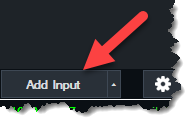
Open vMix and add a new input source.
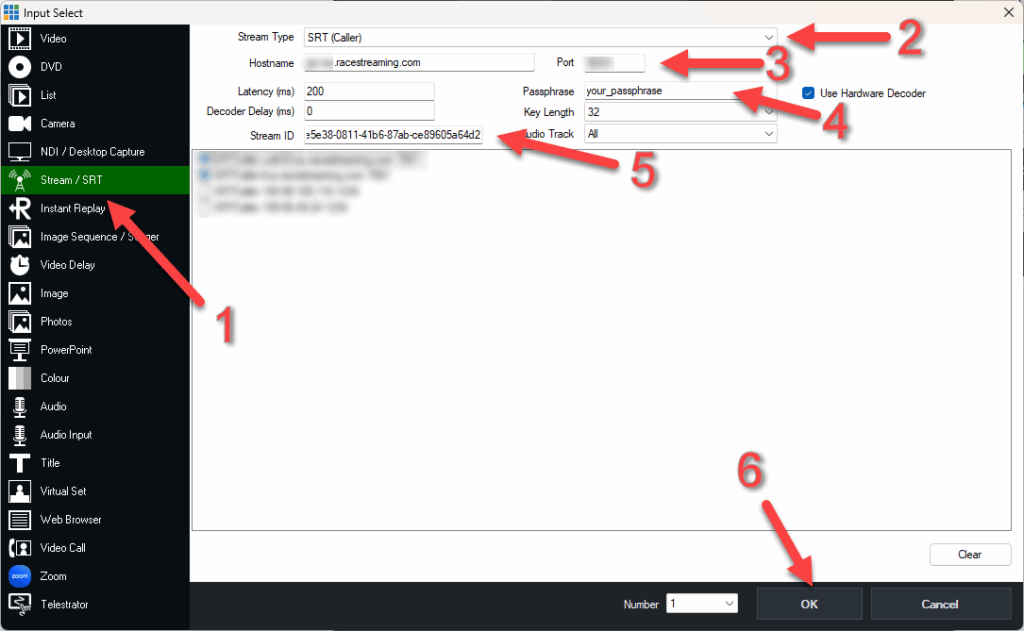
From the left menu select [Stream/SRT]. Select [SRT Caller] as the Stream Type. Enter the [Hostname], [Port number], [Passphrase], and [Stream ID] obtained from the RaceStreaming APP for each StreamKit. Contact us at support@racestreaming.com for more information.
About RaceStreaming live
RaceStreaming delivers ultra-low latency H.265 SRT streams from our data centers located in the EU, Asia, and the US. To guarantee the lowest possible latency, the RaceStreaming StreamKit connects to the data center nearest to your event.
RaceStreaming can also provide H.264 or RTMP streams. However, this will add to the latency as we need to convert the raw H.265 before delivering the converted stream.